


We’re excited to roll out some powerful new features to make your data reporting, sharing, and tracking experiences smoother, customizable, and insightful. Here’s everything you need to know about the latest updates to Narrative BI!
Let your data speak for itself — share insights in two clicks.
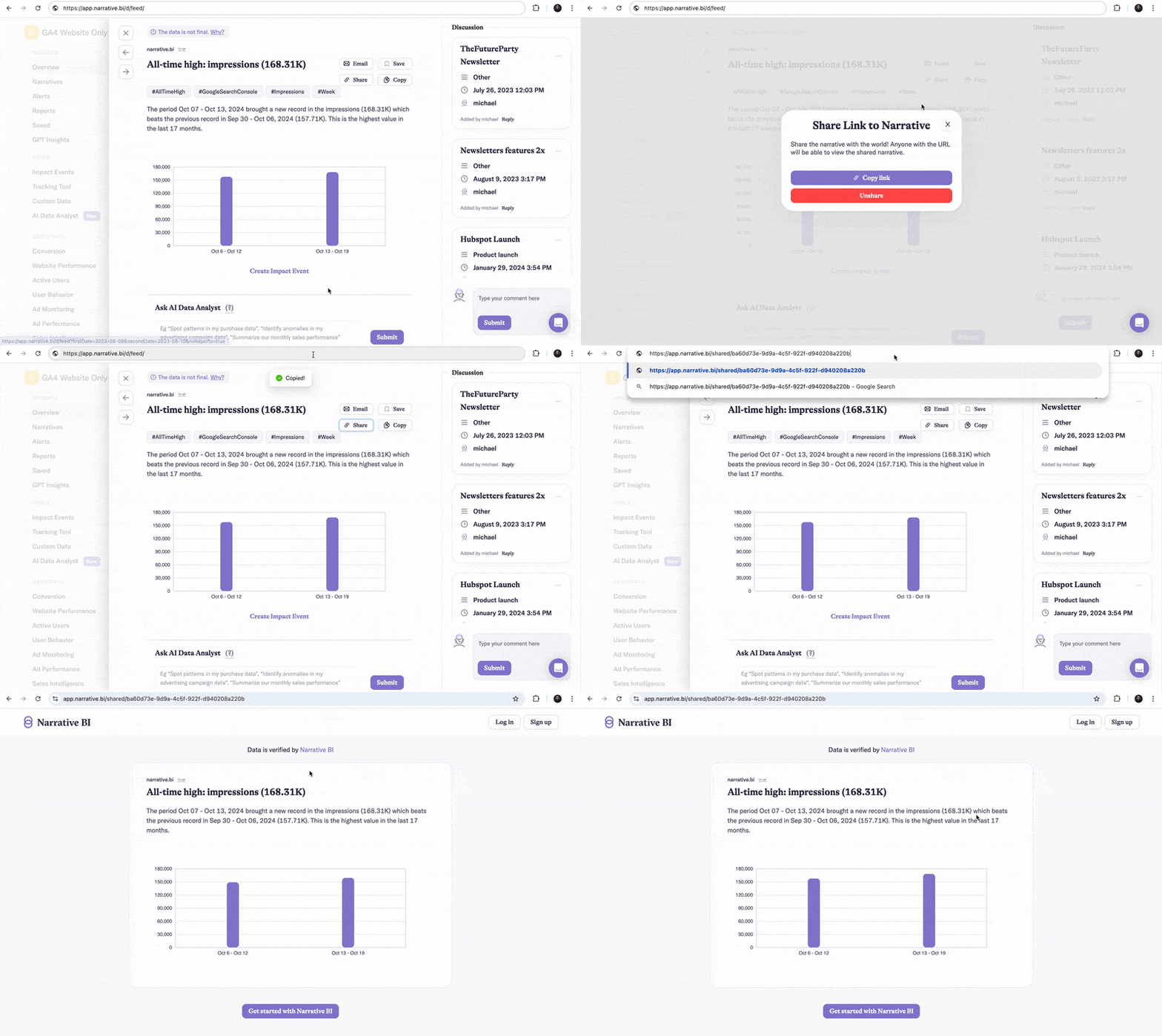
We know how valuable it is to share your insights outside your team, especially when hitting positive milestones. To make this seamless, we’ve introduced a new feature for external sharing of narratives with public access.
This feature enables easy, secure sharing of data-driven insights, so you can celebrate wins, inform clients, and expand your network without the need for screenshots.
Gain detailed insights and tailor reports to your business needs.
We heard your requests for more control over reports and the ability to track specific dimensions that matter most. Now, you can customize reports to show only the performance details you care about, like campaigns, ad groups, and other key dimensions.
Get started by clicking “Customize Metrics” or “Customize Dimensions” in your reports.
These enhancements help you target the metrics that matter most to your business, offering a clearer picture of your key dimensions at a glance.

Now, you can track specific Facebook Ad actions through the Tracking Tool. Just head to the Tracking Tool settings (Available on Growth), click “Add dimension…”, select “Action type,” and pick the exact actions you want to monitor.
Use the Tracking Tool to add new dimensions or track actions directly within narratives: all dimensions are now highlighted in narratives.
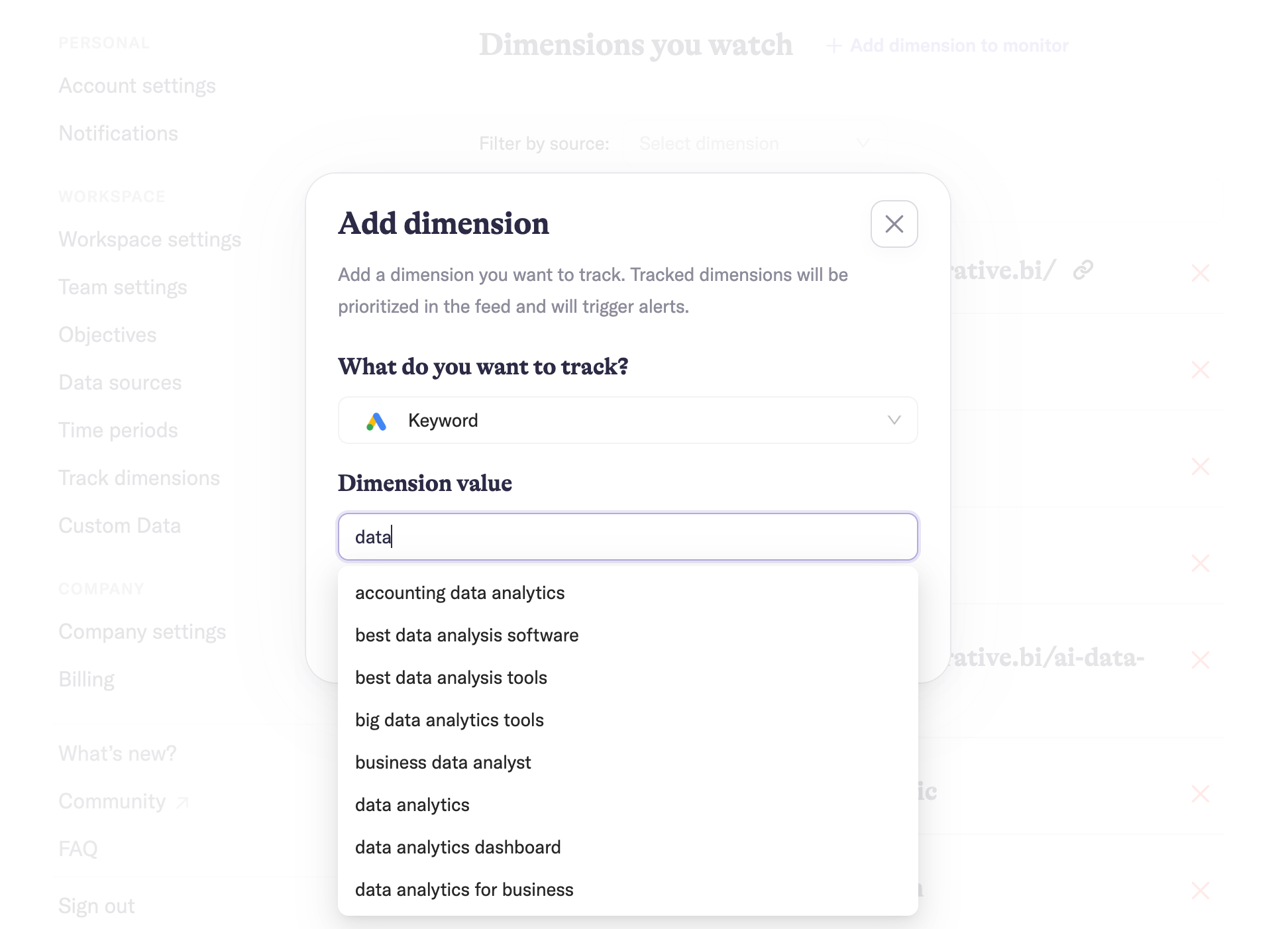
Autocomplete suggestions make finding and selecting dimensions easier than ever.
Each of these updates is designed to make data work harder for you—so you can work smarter. Dive into these new features today and experience how Narrative BI makes powerful insights more accessible than ever.

